You write one sentence about a feature. Jenyverse gives back a clickable prototype, a working model of the screens you can click through, built from your company’s own components. Nothing gets built until you approve the plan.
Jenyverse is an AI prototyping studio. Jeny (she/her) works here as a full-stack product manager, designer and developer for complex apps that need to grow. She asks what matters, writes a spec (a written description of what will be built and how it should behave), and builds only after you approve it. Every change is saved as a version you can go back to.
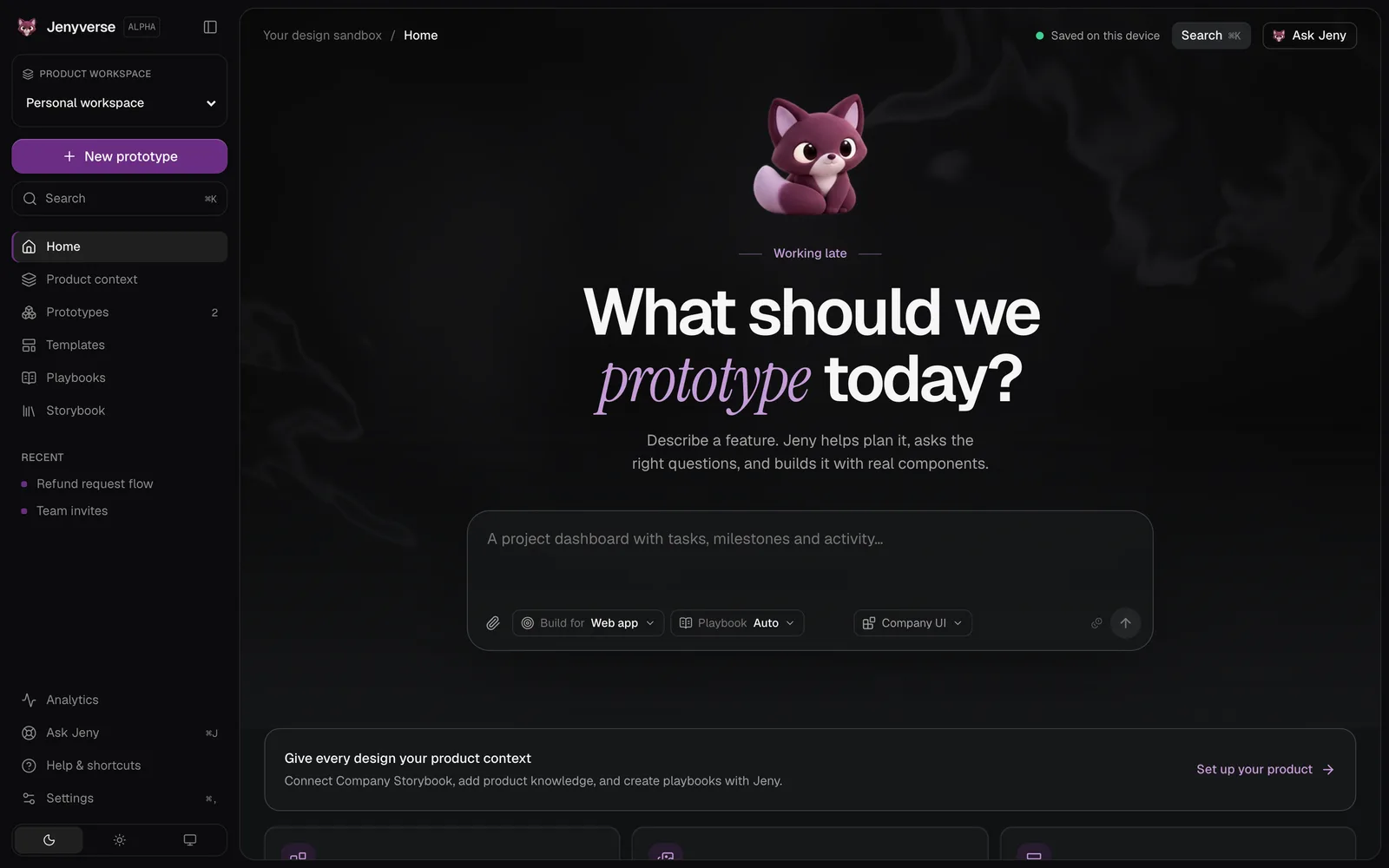
Home: one prompt, a greeting, and Jeny.2
What it’s for
Product managers often write features up in documents, then wait for design time. Many AI design tools produce screens that look right but can’t be built as they are. Specs and prototypes drift apart. Cloud tools often need sign-off before anyone can use internal material with them.
Jenyverse gives you a clickable prototype built only from the component library your company already has installed. The PRD (product requirements document, the spec engineers build from) stays matched to the latest version. Your work is stored locally, and you use your own AI key.
Product managers see a feature working the same week and hand engineering something clear, with requirement IDs and acceptance criteria.
Product designers explore a flow in real components, see every screen and state side by side, and change one element at a time.
Front-end engineers get readable code that already uses the library, with clear markers wherever the prototype bends or adds to it.
Design-ops leads teach Jeny the product once, approve what she learned, and every new project starts from it.
3
How it works
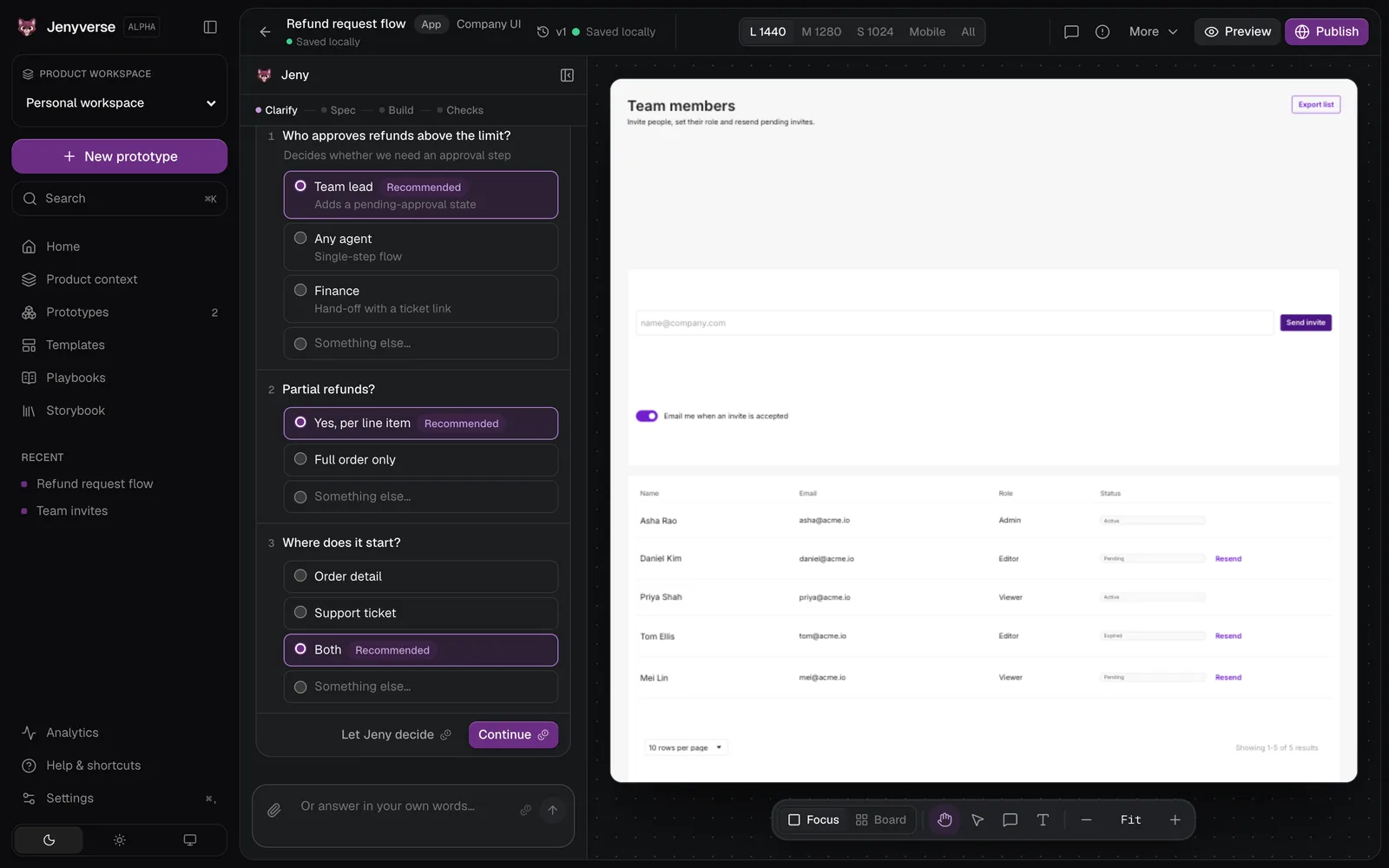
Clarify. Jeny asks up to four questions, only the ones that change what gets built. Each comes with a recommended answer and what it would change. If your request is already clear, she skips straight to the spec.
Spec. You approve the spec or ask for changes. Once approved, it becomes the first version of the PRD.
Build and check. She builds with the installed library only. Automatic checks make sure the code runs, follows the rules, uses only library components and displays properly. Then she updates the PRD and tells you what to try.
The builder puts Jeny’s chat on the left, the live prototype in the centre, and a side panel for settings, the PRD, comments and versions. You can use the prototype like a real app, select one element to change, pin comments, or edit text in place. The Board shows every screen in every state (empty, loading, error and so on) side by side. Export gives you the PRD as Markdown or HTML, or a package for Figma.
Clarify first: a few questions, each with a recommended answer.The Board: every screen in every state, in one view.4
Key decisions
Nothing she does is permanent. Undo, redo and restore each save a new version. Nothing is deleted.
Real components or nothing. Checks reject any control that isn’t in your installed library.
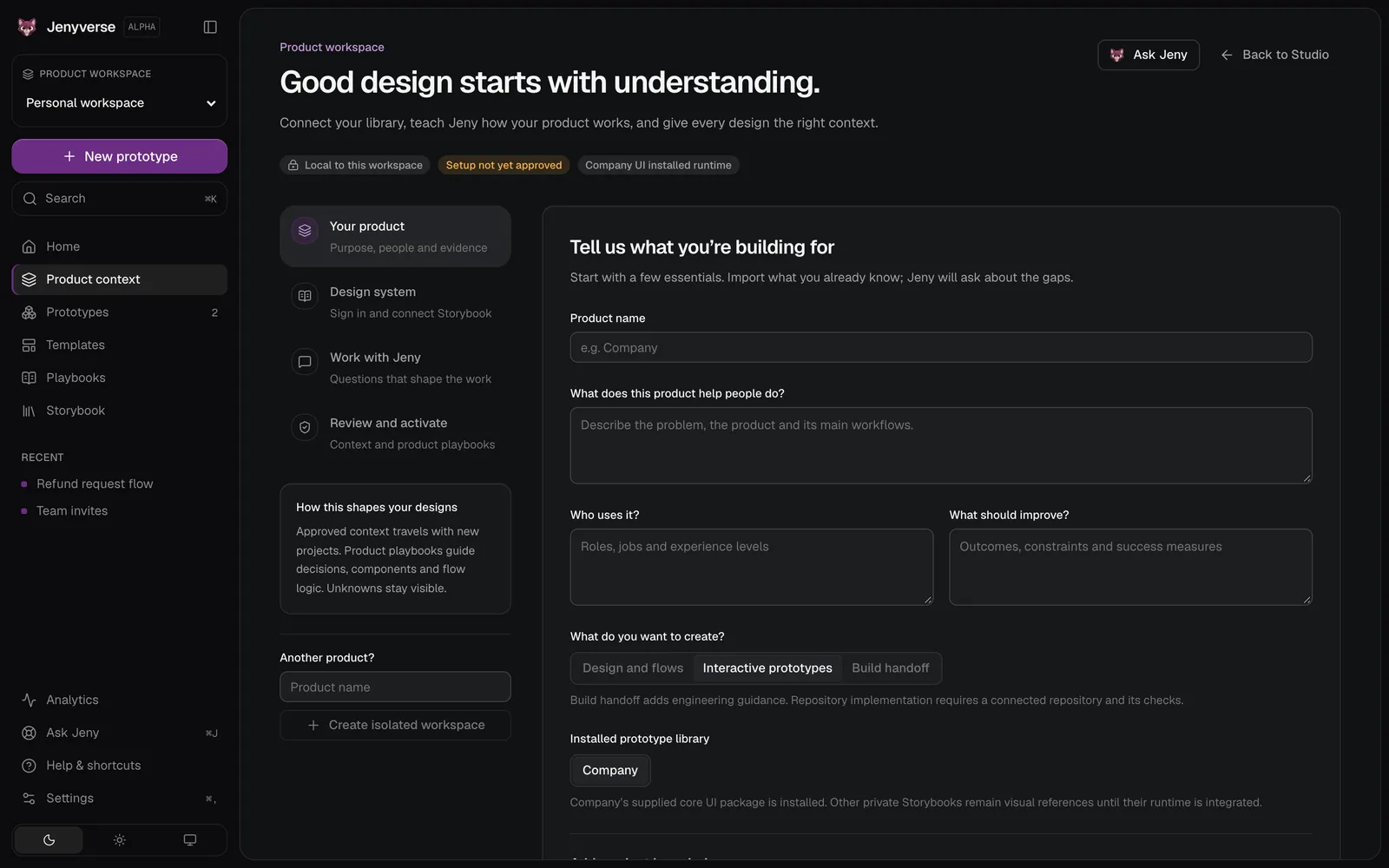
Product knowledge needs your approval. What Jeny learns about your product only travels to new projects after you approve it. She cites where each fact came from and marks unknowns as unknown.
Ask before building. Her questions and the spec arrive as cards you act on. She builds one direction: the smallest prototype that’s useful.
A handoff, not a launch. Jenyverse produces files to hand over, such as the PRD and a Figma package. It doesn’t deploy code to production.
Teach Jeny your product once. It only applies after you approve it.5
Trust and limits
Everything runs in your browser. Projects, product knowledge and your AI keys, stored encrypted, stay on your device. Requests go straight from your browser to the AI provider you picked, using your own key. The code Jeny writes runs in a sandbox, a sealed-off space with no internet access.
“Ask before building” is on by default, and you can stop her at any time. She never approves anything on your behalf. Quality still depends on what you give her and on your review. It isn’t built for live teamwork or syncing across devices.
6
Where it is
Jenyverse is in staging, an early test version. There’s no public link to try it yet.
Quick answers
What is Jenyverse?
Jenyverse is an AI prototyping studio. Jeny turns a feature sentence into a clickable prototype built with your company’s components, after you approve the spec.
No sections match “”.
Send a connection request with a short note about what you’re working on.