Precipice is one of my own projects: a visual workspace that turns product ideas into connected, editable artifacts. Start with a prompt or a blank canvas, then shape it with notes, user journeys, wireframes and the links between them. Each workspace is a scape. It runs in the browser at precipice.pages.dev and as a Mac app.
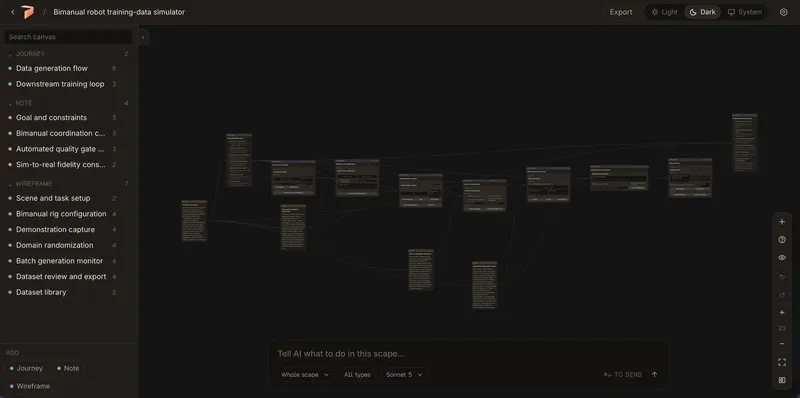
The canvas: notes, journeys and wireframes in one connected map.2
What it’s for
Early product thinking gets scattered: the idea in a doc, the flow in a diagram, the screens in a design file. Precipice puts them on one surface and keeps them connected, so a journey step and the screen it points to sit side by side.
3
How it works
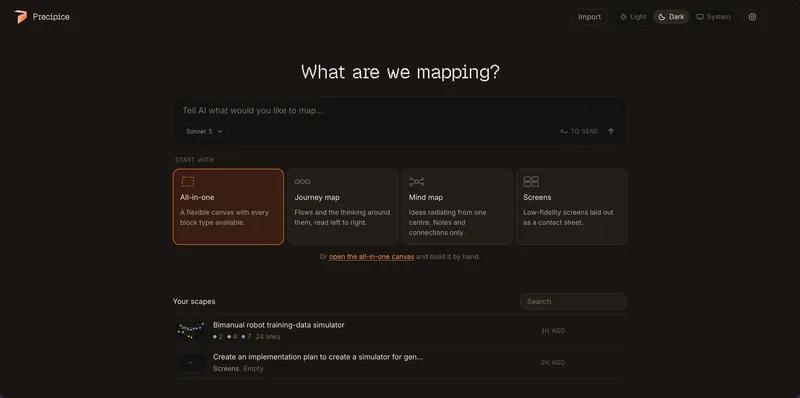
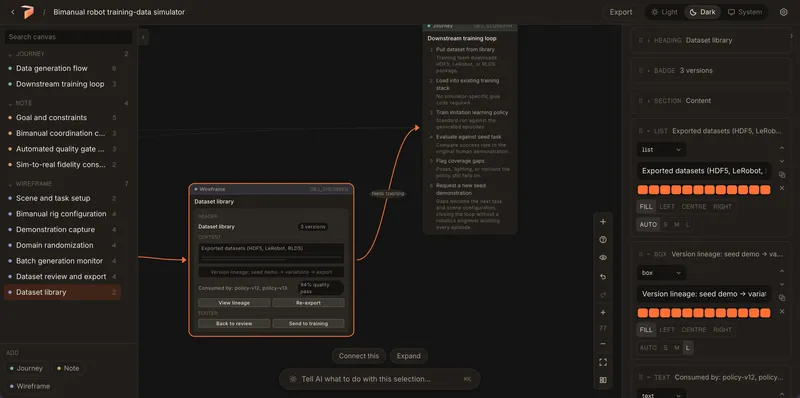
On Home, describe what you’re working on or pick a template: Blank, Product concept, User journey, Screen flow or Research synthesis. You get a scape on an infinite canvas. Every object is a note, a journey, a wireframe or a long-form Markdown block. Select one and an inspector opens beside it, so you edit steps and elements without leaving the map.
Home: one prompt, a row of templates, and your library. (This shows an earlier home layout.)
The built-in assistant, Scapi, has two modes in one composer. Ask answers questions about the scape and changes nothing. Edit works on the canvas. Asking never rewrites your work.
Outside agents can work on scapes through MCP. Clients like Claude or ChatGPT can read, search, create, edit and arrange scapes, and in supported hosts you can preview a whole flow in the chat before anything is created. Every change comes back as a review card with one-step undo.
Inspectors edit the object in place. Here, a wireframe’s sections and elements.4
Key decisions
Your work stays on your device. Scapes live in the browser’s local storage, not a shared cloud. To move work between machines, export a .scape file or back up the library. Publishing is a separate step that uploads a read-only snapshot to a link.
Bring your own key. AI generation uses your own Anthropic API key. There’s no hosted key, because a shared key behind a public endpoint is a key anyone can spend. The proxy in between is stateless and stores nothing.
One writer at a time. If a scape is open in two tabs, one can write and the others are read-only until you take over with a click. It never tries to merge edits.
Agents get reviewed, not trusted. Agent changes go through validated operations, revision checks and review cards. Anything an agent does, you can inspect and undo.
Safe by default. Markdown renders through a small allowlist, with no raw HTML. Links are limited to http and https.
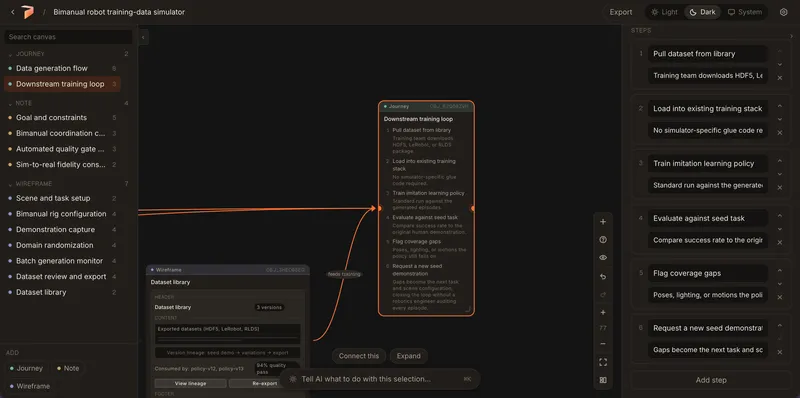
The journey inspector: steps you can reorder and edit next to the flow they describe.5
Under the hood
It’s a TypeScript and React app built with Vite, with React Flow for the canvas, Dagre for layout, Dexie over IndexedDB for storage, Zustand for state and the Vercel AI SDK with Anthropic. The web app is hosted on Cloudflare Pages, with Cloudflare Workers for the AI proxy, publishing and the hosted MCP connector. The Mac app is built with Tauri and can keep your key in the macOS Keychain. The same frontend builds for both.
6
Where it is, and what’s next
Precipice is early and pre-1.0. The latest release, 0.1.5, added in-chat flow previews, a new sidebar Home, and templates. The Mac build is ad-hoc signed for Apple Silicon. It isn’t notarized yet, there’s no in-app updater, and there’s no automatic sync between browser and desktop.
Next up: signed Mac builds, then an in-app updater, which depends on signing.
It’s free and open source under the MIT License. Try it at precipice.pages.dev, or read the code on GitHub.
No sections match “”.
Send a connection request with a short note about what you’re working on.